Resource Management
Resource Group
"Resource Management > Resource Groups": Available under the business scope of Training & Inference, Training, or Inference
"Resource Groups": Displays the resource group list, including: Name, Number of Server Nodes, CPU Cores, CPU-Limit, Accelerators Used/Total, Current Jobs, Reuse Status, Tags, Sharing Attributes, Status, and Timeout Settings.

Note: The inference resource group defaultGroupInf does not support the CPU-Limit, Sharing Attributes, and Timeout Settings fields; these display as N/A.
Clicking the number of server nodes displays the node list, including: Node Name, IP, CPU Cores, Accelerator Type, Number of Accelerators, Memory, Disk, Configuration Status, and Actions.

Node Management
"Resource Management > Node Management": Available under the business scope of Training & Inference, Training, or Inference
"Node Management": Displays the list of nodes belonging to the resource group, including: Node Name, Status, Compute Status, IP, Model, BMC Address, CPU Cores, Number of Accelerators, Memory, Network Type, Mount Path, Mount Switch, Network Information, Switch Name, Docker Storage, and Belonging Resource Group.
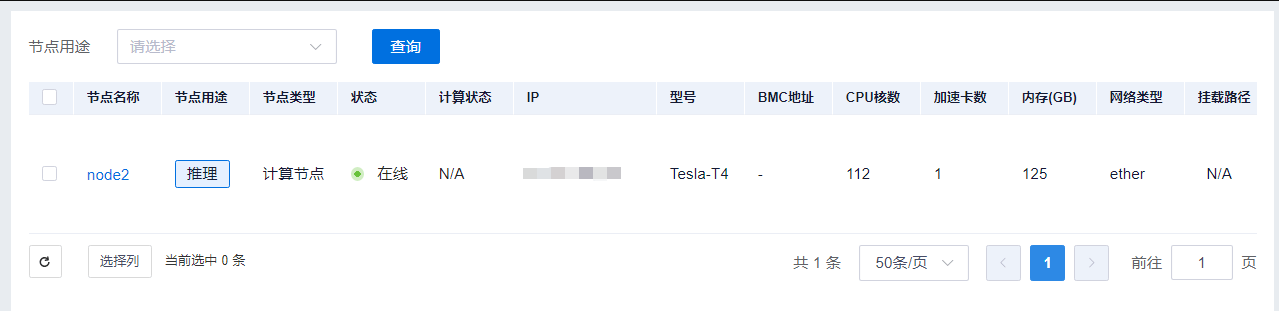
Note: For nodes with the purpose of Inference, the Compute Status, Mount Path, Mount Switch, and Network Information fields are not supported and display as N/A.
Node Details
"Resource Management > Node Management > Node Details": Available under the business scope of Training & Inference, Training, or Inference
Clicking "Node Management > Node Name" displays node details, including: Data, Container Images, Mount Information, and Fault Details.
Data
"Resource Management > Node Management > Node Details > Data": Available when the node purpose is Training
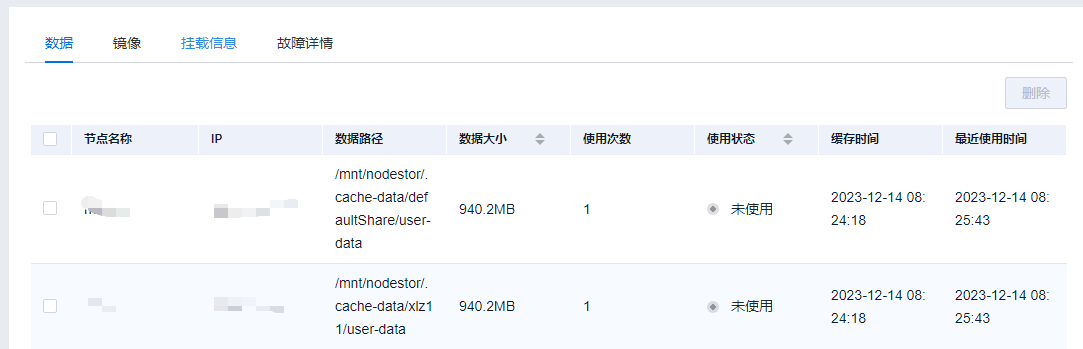
The data list displays information about data cached to the node, including: Node Name, IP, Data Path, Data Size, Usage Count, Usage Status, Cache Time, and Last Used Time. Usage Status has two states: Unused and Used, indicating whether the data is currently in use. Cache Time indicates when the data was downloaded. Last Used Time indicates the most recent time the data was used.
"Delete Data": Allows deletion of node data. Only data with an Unused status can be deleted; attempting to delete data with a Used status will result in a failure prompt.
Container Image
"Resource Management > Node Management > Node Details > Container Images": Available when the node purpose is Training or Inference
Displays local container image information on the node, including: Node Name, IP, Image Name, Tag, Size, In Use, Uploader, Creation Time, and Actions.
"Delete Image": Supports single or batch deletion of images. Only unused images can be deleted.
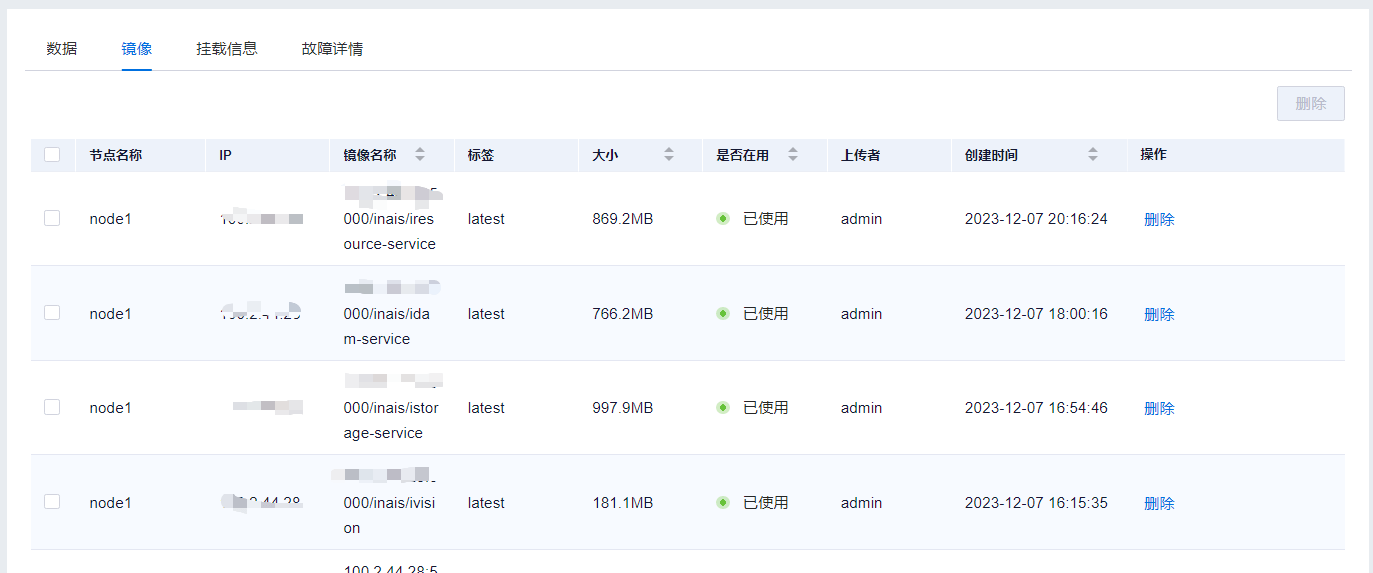
Note: For nodes with the purpose of Inference, the "In Use" field displays as N/A.
Mount Information
"Resource Management > Node Management > Node Details > Mount Information": Available when the node purpose is Training or Inference
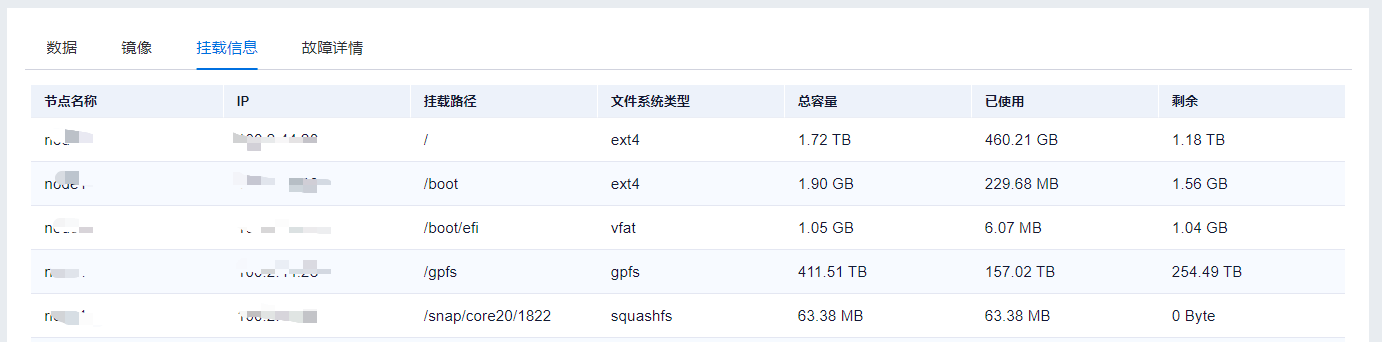
Displays mount information for the node, including: Node Name, IP, Mount Path, File System Type, Total Capacity, Used, and Remaining.
Fault Details
"Resource Management > Node Management > Node Details > Fault Details": Available when the node purpose is Training
Displays fault information for the node, including: Fault Time, Fault Type, Fault Level, Details, and Fault Tolerance Disable Deadline.
