Image Build
1.1 Start Development Environment
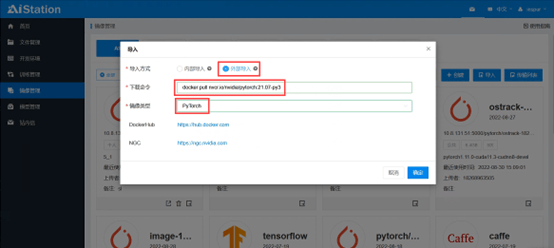
Create a non-INSPIR official container image via Dockerfile or by pulling an external image.
For example: docker pull nvcr.io/nvidia/pytorch:21.07-py3
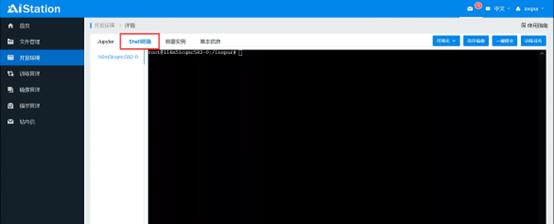
Use this container image to create a development environment and log in to the Shell terminal.
1.2 Install Components
This document provides instructions for installing Jupyter and SSH components in an Ubuntu 20.04 environment. Python version requirement: >3.0 JupyterLab version: 2.3.1 SSH version: OpenSSH_8.2p1
1.3 Install from Public Mirrors
Note: JupyterLab must be installed before SSH; otherwise, the Jupyter page may fail to open.
1.3.1 Install Python
Execute the installation command to update the apt package mirror and install Python 3.
apt-get update && apt-get install python3-pip
1.3.2 Install JupyterLab
Execute the installation command to install Jupyter.
pip --no-cache-dir install jupyterlab==2.3.1 -i https://pypi.tuna.tsinghua.edu.cn/simple
Download the Jupyter configuration file and place it in the /etc/jupyter/ directory.
mkdir /etc/jupyter/
wget –P /etc/jupyter/https://raw.githubusercontent.com/Winowang/jupyter_gpu/master/jupyter_notebook_config.py
wget -P /etc/jupyter/ https://raw.githubusercontent.com/Winowang/jupyter_gpu/master/custom.js
1.3.3 Install SSH
Install openssh-client and openssh-server, and create the /var/run/sshd directory.
apt-get install -y --no-install-recommends openssh-client openssh-server && mkdir -p /var/run/sshd
Modify the configuration to allow direct SSH login to the container.
cat /etc/ssh/ssh_config | grep -v StrictHostKeyChecking > /etc/ssh/ssh_config.new
echo "    StrictHostKeyChecking no" >> /etc/ssh/ssh_config.new
cat /etc/ssh/sshd_config | grep -v  PermitRootLogin> /etc/ssh/sshd_config.new
echo "PermitRootLogin yes" >> /etc/ssh/sshd_config.new
mv /etc/ssh/ssh_config.new /etc/ssh/ssh_config
mv /etc/ssh/sshd_config.new /etc/ssh/sshd_config
1.4 Save the New Container Image
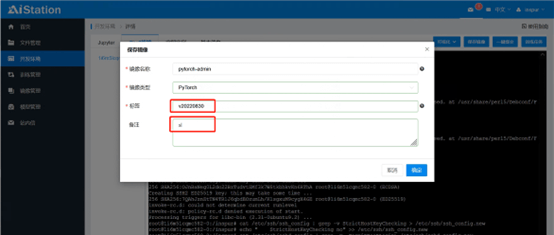
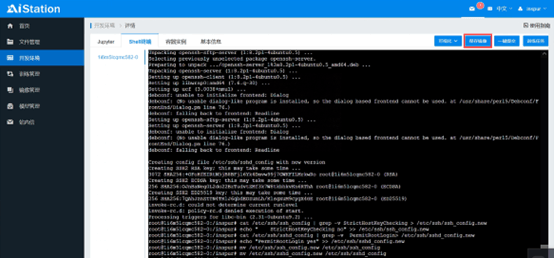
After configuration, click the Save Image button to save as a new container image.
Enter the tag and add remarks as needed.