Upload Files
(WinSCP, which supports resume from breakpoint, is recommended for uploads and downloads. Download link:https://winscp.net/eng/download.php )
1. MobaXterm
Upload using tools (using MobaXterm as an example)
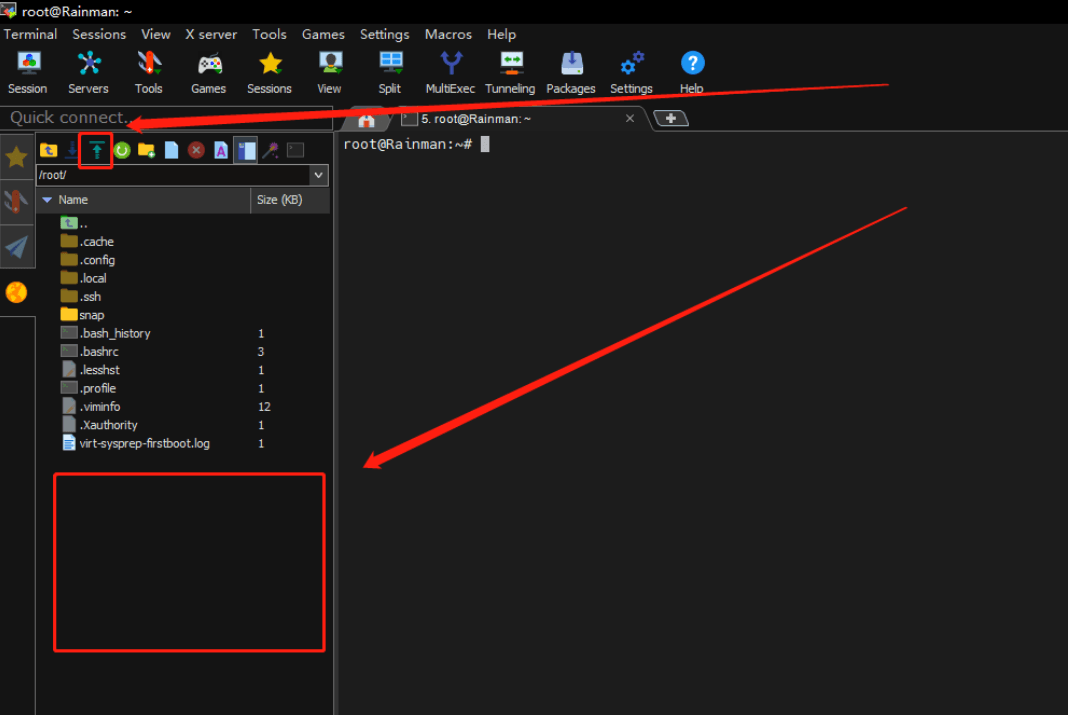
After connecting to the cluster via MobaXterm, follow the diagram below:
(1) Use the upload button at the top to upload files.
(2) Drag the files to be uploaded into the box below.
2. WinSCP
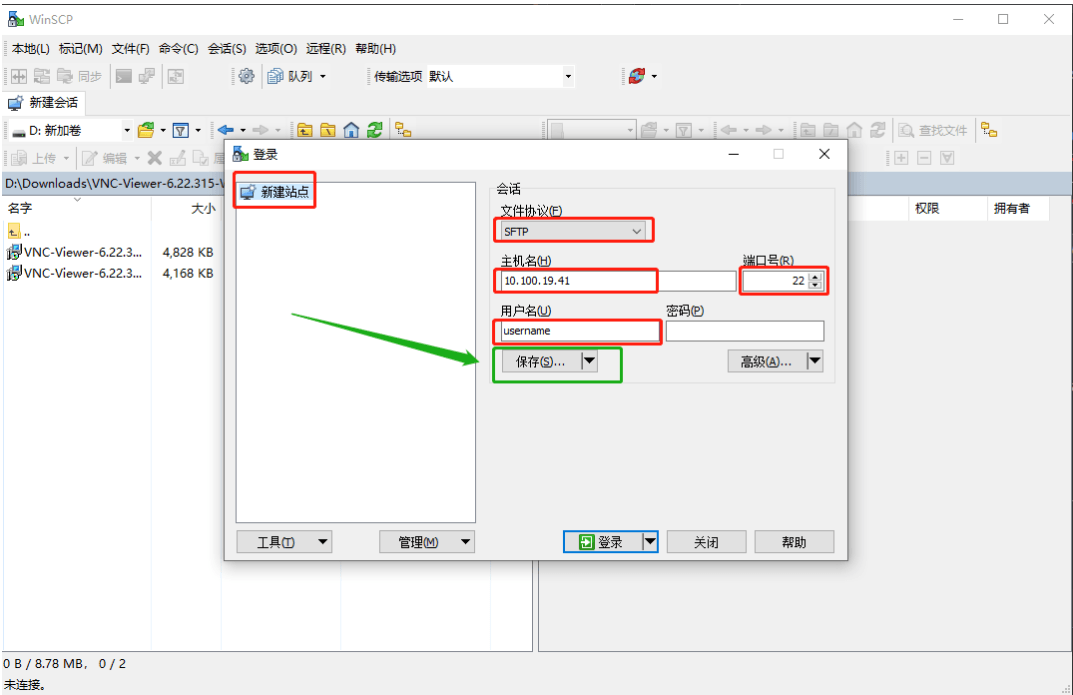
Upload using tools (using WinSCP as an example)
Open WinSCP and verify the contents in the red boxes in the diagram below (enter your actual username; 'username' is used as an example here).
3. SCP
Upload using the scp command (for macOS or Linux systems)
The following command demonstrates transferring the file 'filename.tar' from the current directory to the home directory of the 'username' account on the cluster.
scp filename.tar username@10.100.19.41:~/
# 10.100.19.41 is the address for Shanhe 1
# 10.100.19.45 is the address for Shanhe 2
# 10.100.19.42 is the address for Shanhe 3